
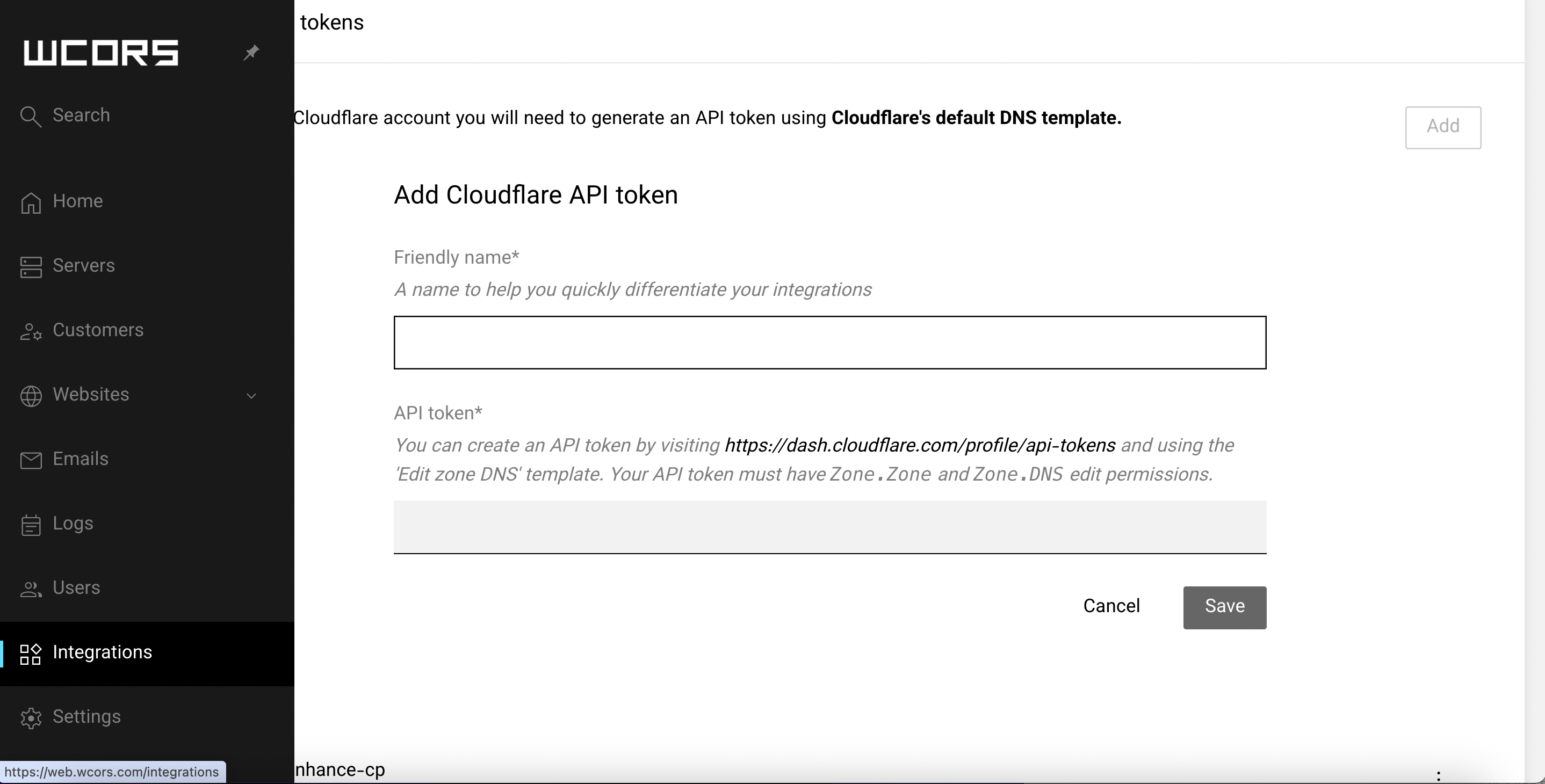
Cloudflare Integration with Enhance Control Panel
To use Cloudflare with Enhance, you need to create a Cloudflare API Token and add it to your Enhance control panel. Once connected, you can manage DNS records directly from Enhance and enable Cloudflare Proxy protection for your domains.
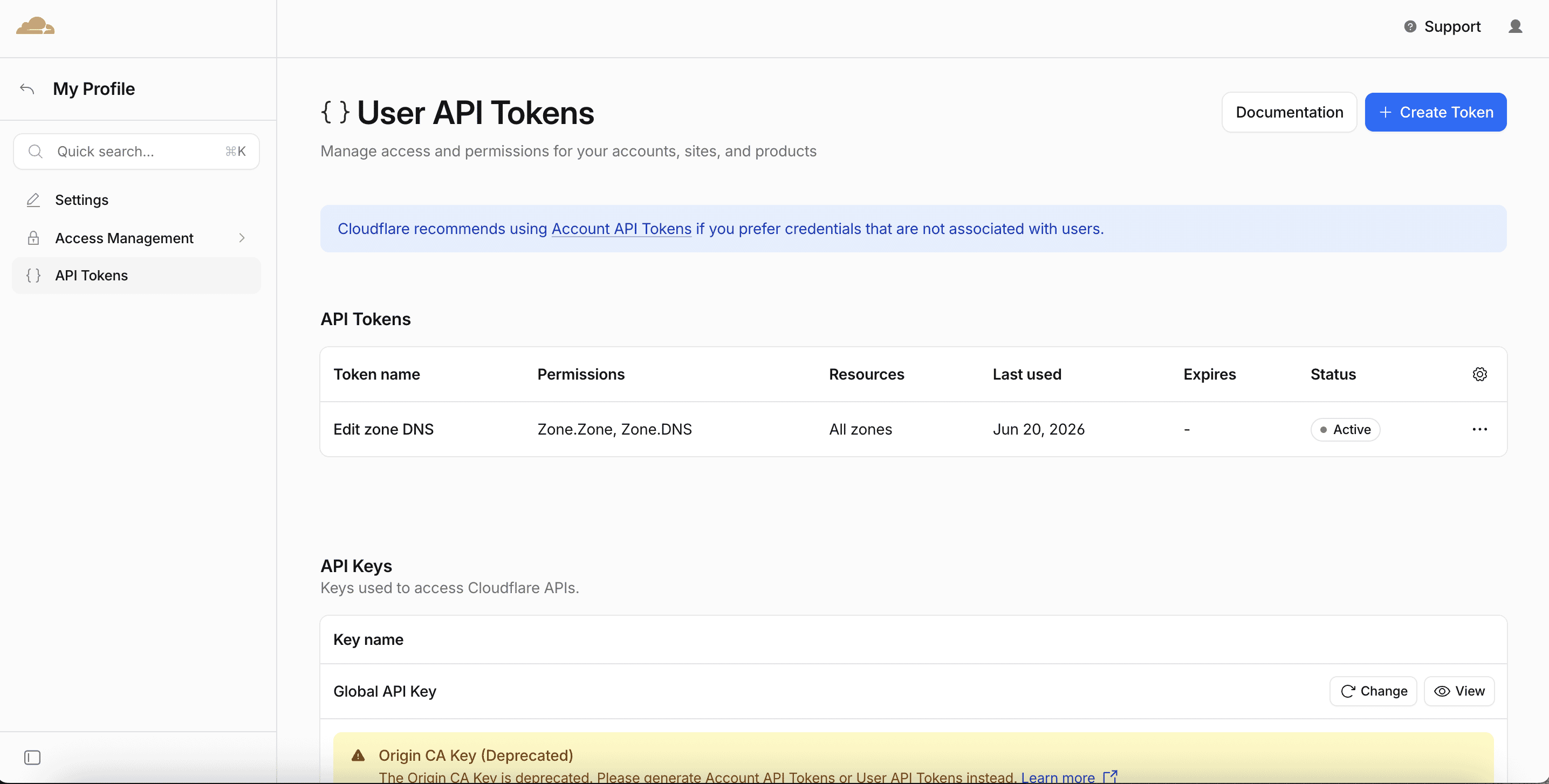
Step 1: Create a Cloudflare API Token
- Log in to your Cloudflare account.
- Go to: https://dash.cloudflare.com/profile/api-tokens
- Click Create Token.
- Click Use DNS Template
Configure the token with the following permissions Zone.Zone & Zone.Edit with Include → All Zones
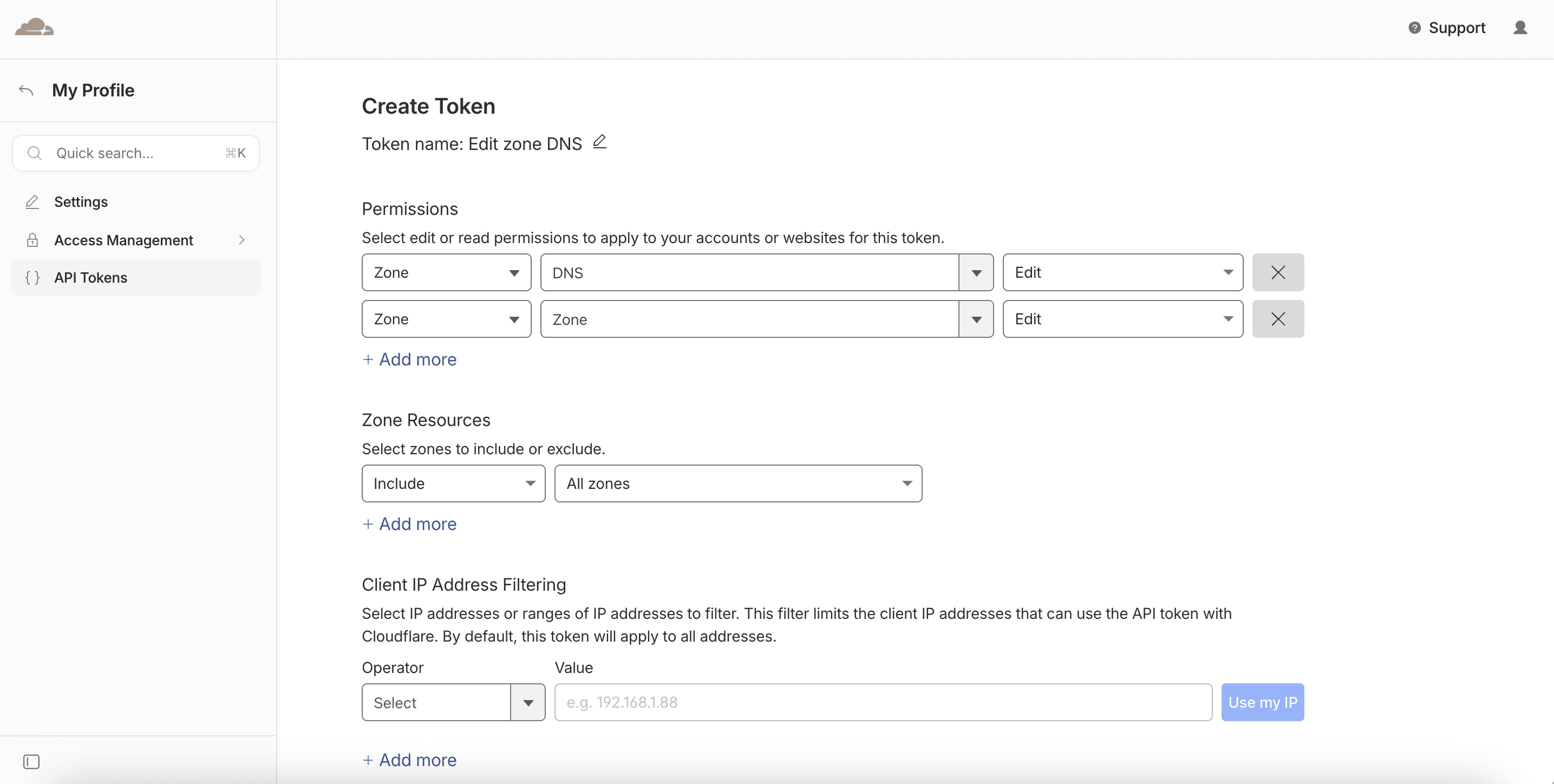
Your token summary should look similar to:
Step 2: Add the API Token to Enhance
- Log in to your Enhance Admin Panel.
- Navigate to: Integration (Settings → Integrations → Cloudflare)
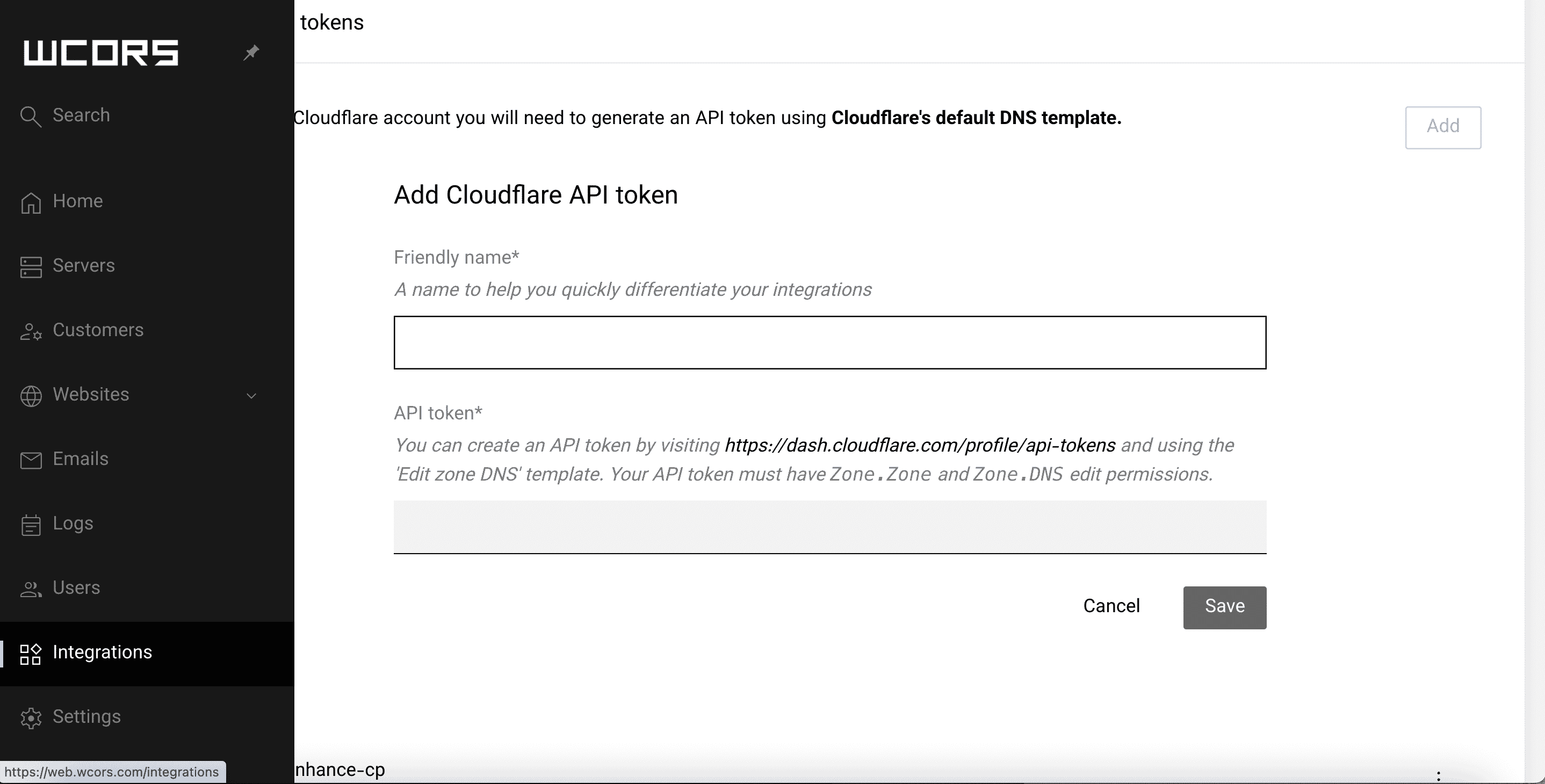
- Paste the Cloudflare API Token.
- Click Save.
If the token has the correct permissions, Enhance will successfully connect to Cloudflare.
Step 3: Manage DNS Records
Once Cloudflare is connected:
- Open your website in Enhance.
- Navigate to: Domains → DNS Records
- You will see a Cloudflare icon indicating that Cloudflare integration is active.
Step 4: Enable Cloudflare Proxy
To route traffic through Cloudflare and enable CDN and security features:
- Go to: Domains → DNS Records
- Locate the DNS record you wish to proxy.